Vehicle Maintenance Log Template: Free Download & Guide
If you can’t prove maintenance, you can’t control it. This guide shows exactly what belongs in a maintenance log, gives you a free template to standardize fast, and helps you decide when to move from a spreadsheet to software.
Dec 6, 2024 | Updated: Dec 2, 2025
16 min read

Key takeaways from this guide
-
A maintenance log is your proof of control: It records every inspection, repair, meter and cost so you can cut downtime, stay compliant, and defend maintenance decisions. Download the template.
-
Structure and ownership make logs useful: Standard fields tied to assets, maintenance schedules and inspections let drivers, techs, and managers share one accurate, audit-ready source of truth.
-
Spreadsheets create blind spots as fleets grow: Version drift, missed PMs, slow reporting and scattered files make it harder to control downtime, safety risk and total maintenance cost.
-
Software turns logs into real-time insight: Fleetio unifies PMs, inspections, repairs and costs with automation and reports so you can move from reactive fixes to proactive planning.
Most fleets don’t struggle to do maintenance — they struggle to track it. As vehicles, equipment, and data streams multiply, you need a fast, reliable way to see what was done, what it cost, and what’s coming due next. Excel spreadsheets, basic templates, and paper logs can work for a while, but they’re easy to break — versions drift, fields get skipped, and gaps appear in your service history.
At the same time, service costs are rising, vehicles are running harder, and there’s more pressure than ever to keep assets safe, compliant, and on the road with minimal downtime. Without a consistent maintenance log, it’s tough to stay ahead of repairs, defend your budget, or pass an audit with confidence.
In this guide, you’ll see exactly what to include in a vehicle maintenance log, grab a free template, and compare spreadsheets, apps, and fleet software so you know when it’s time to move beyond a sheet to something more automated.
What is a vehicle maintenance log?
A vehicle maintenance log (sometimes called a service history log or maintenance record) is a running record of everything that happens to a vehicle over its life. It tracks inspections, preventive maintenance schedules (PMs), faults and defects, car repairs, mileage or hours, status, and costs so you can control downtime, spend, and compliance.
A maintenance log can live in many formats: paper forms, Excel spreadsheets, a basic maintenance app, or purpose-built fleet maintenance software. Regardless of format, each entry should capture the date, meter/odometer, work performed, parts used, vendor or technician, costs, and the next-due interval.
Technicians use maintenance logs to see what work is due and document repairs. Drivers use them to report inspection results and defects. Fleet managers and back-office teams rely on accurate logs to monitor vehicle health, justify budgets, pass audits, and make better replacement and maintenance decisions.
Why vehicle maintenance logs matter
Vehicle maintenance logs are more than operational paperwork. They’re the backbone of fleet reliability, cost control, and fleet safety. When every inspection, PM, and repair is captured in one place, you can move from reacting to breakdowns to confidently planning work and spend.
A consistent, accurate maintenance log helps you:
- Reduce unplanned downtime by tracking PM needs before issues escalate
- Lower repair costs by spotting recurring problems and addressing root causes early
- Improve safety and compliance with complete, audit-ready service histories
- Extend vehicle lifecycle and protect asset value with documented care
- Increase technician efficiency with organized, accurate data in one place
- Forecast and budget better with clear visibility into real maintenance costs
For regulated fleets, detailed logs also support FMCSA documentation requirements by showing what was inspected, what failed, how it was corrected, and when the next service is due.
As fleets become more data-driven, maintenance logs are also a stepping stone toward predictive maintenance and fleet-wide analytics, feeding the reports and dashboards that help you optimize utilization, spend, and replacement timing.
Free vehicle maintenance log template (download)
This vehicle maintenance log spreadsheet template gives your team a structured, reliable starting point — especially if you’re moving away from paper forms or ad hoc spreadsheets. Use it to log services, inspections, and repairs by date, odometer/hours, and cost so you can build a consistent service history fast.
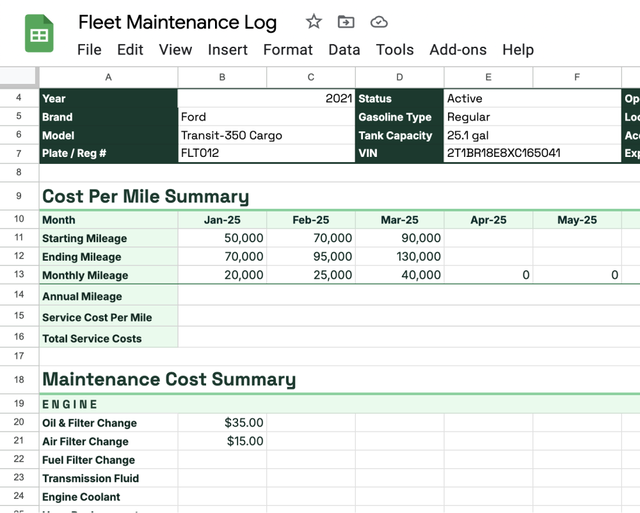
You can customize the template to match your naming conventions, asset types, and approval flows. To get the most value, prioritize collecting these fields consistently:
- Asset details: Asset ID, VIN, and location or cost center
- Service details: Date, odometer or hours, event type (inspection, PM, repair)
- Work performed: Tasks/VMRS codes, defects found, and corrective actions
- Parts and labor: Parts used, quantities, labor time, and vendor or technician
- Costs and next due: Labor, parts, tax, total cost, and the next-due date/miles/hours
Start by standardizing these core columns across all vehicles, then add any fleet-specific fields (like warranty notes, shop codes, or internal approval IDs) as needed.
What to include in a vehicle maintenance log
A strong automotive maintenance log is about more than checking a box for “repair completed.” It should give you complete visibility into asset health so you can spot patterns, tighten up your PM program, defend your budget, and make smarter replacement decisions. That means capturing enough detail to see what happened, why it happened, and what it cost — every time.
Vehicle and asset information
Start by making sure every entry is clearly tied to a specific asset.
- Asset or unit ID
- VIN
- Year, make, and model
- Vehicle class or asset type
- Primary location or cost center
- Current status (active, spare, out of service, disposed)
This level of detail helps you avoid mix-ups between similar units and supports cleaner reporting by asset type, location, and usage — especially when you’re comparing costs or uptime across the fleet.
Preventive service intervals and OEM recommendations
Next, connect each asset to a clear preventive maintenance (PM) plan and OEM guidance.
- PM program or service level (A/B/C, etc.)
- Service intervals by miles, hours, or time
- OEM-recommended tasks for each interval (air filter replacements, oil changes, tire rotations, etc.)
- Last completed PM and next-due date/miles/hours
Tying logs to PM programs and OEM recommendations is the foundation for avoiding unplanned repairs. It keeps service aligned to how the vehicle is actually used instead of guesswork or memory.
Completed service details and costs
Every entry should make it clear what was done, when, where, and for how much.
- Date of service or inspection
- Odometer or engine hours at service
- Service type (inspection, PM, repair, warranty, recall)
- Shop or technician (in-house or vendor)
- Short description of work performed
- Work order number (for reference)
- Cost breakdown (labor, parts, taxes/fees, total)
Capturing these details consistently unlocks cost-per-mile analysis, total cost of ownership (TCO) reporting, and better budget forecasting by asset, class, or location.
Parts, labor, and inventory used
Go one level deeper on parts and labor to understand where your maintenance dollars are really going.
- Part numbers and descriptions
- Quantities used per job
- Unit costs and extended costs
- Labor hours and labor rate
- Task or VMRS codes (where applicable)
This level of detail ties your car maintenance log to parts inventory and cost control. It helps you avoid stockouts, reconcile what left the parts room, and identify which assets and systems consume the most time and materials.
Inspections, issues, and needed repairs
Don’t just track planned service — connect your log to inspections and unplanned work, too.
- Inspection type and reference ID (DVIR, walkaround, annual, etc.)
- Defects or issues reported by drivers or techs
- Severity or out-of-service status
- Corrective actions taken and dates
- Links between inspection records and follow-up work orders
Capturing repairs alongside PM gives you a more honest picture of asset reliability. It makes it easier to see where preventive service is falling short and which units are driving the most unplanned work.
Warranties, recalls, and vendor details
Finally, make sure your log helps you avoid paying for work twice and manage outside shops effectively.
- Warranty status and coverage notes
- Recall notices, reference numbers, and completion dates
- Vendor or shop information and contact details
- Approval notes or PO numbers
- Any exceptions or disputes on invoices
Tracking warranties and recalls alongside vendor performance makes it easier to avoid out-of-pocket costs for covered repairs and quickly prove that recall-related work was completed if a regulator or OEM asks.
How to build an effective vehicle maintenance log (step-by-step)
A good maintenance log isn’t just a form — it’s a process your whole team can follow the same way, every time. The goal is consistency, adoption, and data you can actually trust and act on. Use these steps as an implementation playbook to turn your template into a repeatable, real-world workflow.
1. Decide what data you need based on asset type
Not every asset needs the same level of detail. Light-duty vehicles, heavy trucks, trailers, and equipment each have different failure modes and compliance requirements, so start by mapping fields to how you actually operate.
- Light-duty units: Focus on mileage-based PM, inspections, warranty notes, and common wear items (brakes, tires, fluids).
- Heavy-duty trucks and equipment: Add engine hours, load or route details, safety-critical systems, and more rigorous inspection fields.
- Trailers and towed assets: Emphasize brakes, tires, lights, and structural checks instead of engine-related fields.
- Small tools or off-road equipment: Capture usage hours, storage location, and safety checks in a lighter-weight format.
Prioritize a short list of must-have fields (asset ID, date, meter, work performed, costs, next due) and treat everything else as nice-to-have. If the log becomes too complex, drivers and technicians will stop filling it out — and you won’t be able to keep track of maintenance.
2. Establish a consistent process for drivers and technicians
Next, define exactly who captures what information and when. Clear ownership keeps your log complete without overloading any one role.
- Defects or issues reported by drivers or techs
- Drivers: Record daily/shift inspections, note defects, and flag issues as soon as they’re spotted.
- Technicians: Complete service details, parts and labor, corrective actions, and final costs.
- Back office/fleet managers: Review entries, check for missing fields, and make sure logs stay up to date.
Document this as a simple SOP so entries look and feel the same, regardless of which driver, shop, or shift is involved. Include screenshots or examples, and train new hires on the process just like you would for fueling, vehicle maintenance checklists, or time sheets.
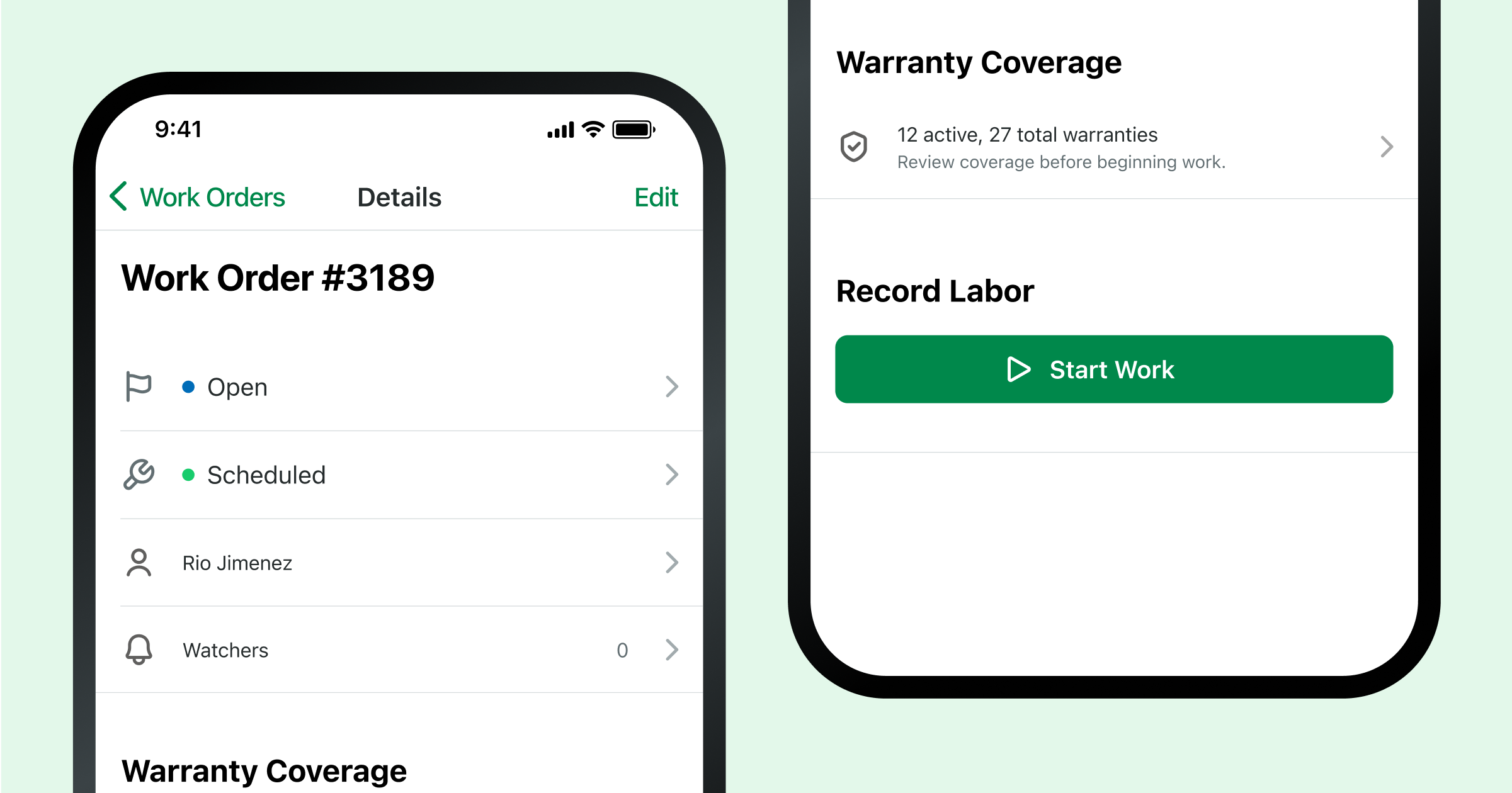
3. Set clear preventive service triggers
Without defined triggers, your log becomes a history of what already broke. To make it a tool for prevention, decide how you’ll schedule PMs for each asset class.
- Mileage-based: e.g., oil changes every 5,000 miles, inspections every 15,000 miles.
- Engine hours: Ideal for equipment, generators, and assets that idle heavily.
- Time-based: Monthly, quarterly, or annual checks for safety and compliance items.
- OEM recommendations: Use manufacturer guidelines as your baseline, then adjust for your duty cycles.
Record these triggers in your template or software and make “next due” fields mandatory. This turns your truck maintenance log into an early warning system for upcoming work instead of a reactive logbook of past failures.
4. Organize logs for audits, reporting, and analysis
Finally, structure your log of maintenance activities so they’re easy to search and filter when you need proof, reports, or trends.
- Organize records by asset ID first, then by date.
- Use separate tabs or views for asset classes, locations, or shops if it keeps things clearer.
- Standardize naming for service types (PM A, PM B, repair, warranty, recall) so you can filter and group cleanly.
- Decide where to store supporting docs (invoices, photos, inspection forms) and how they’re referenced in the log.
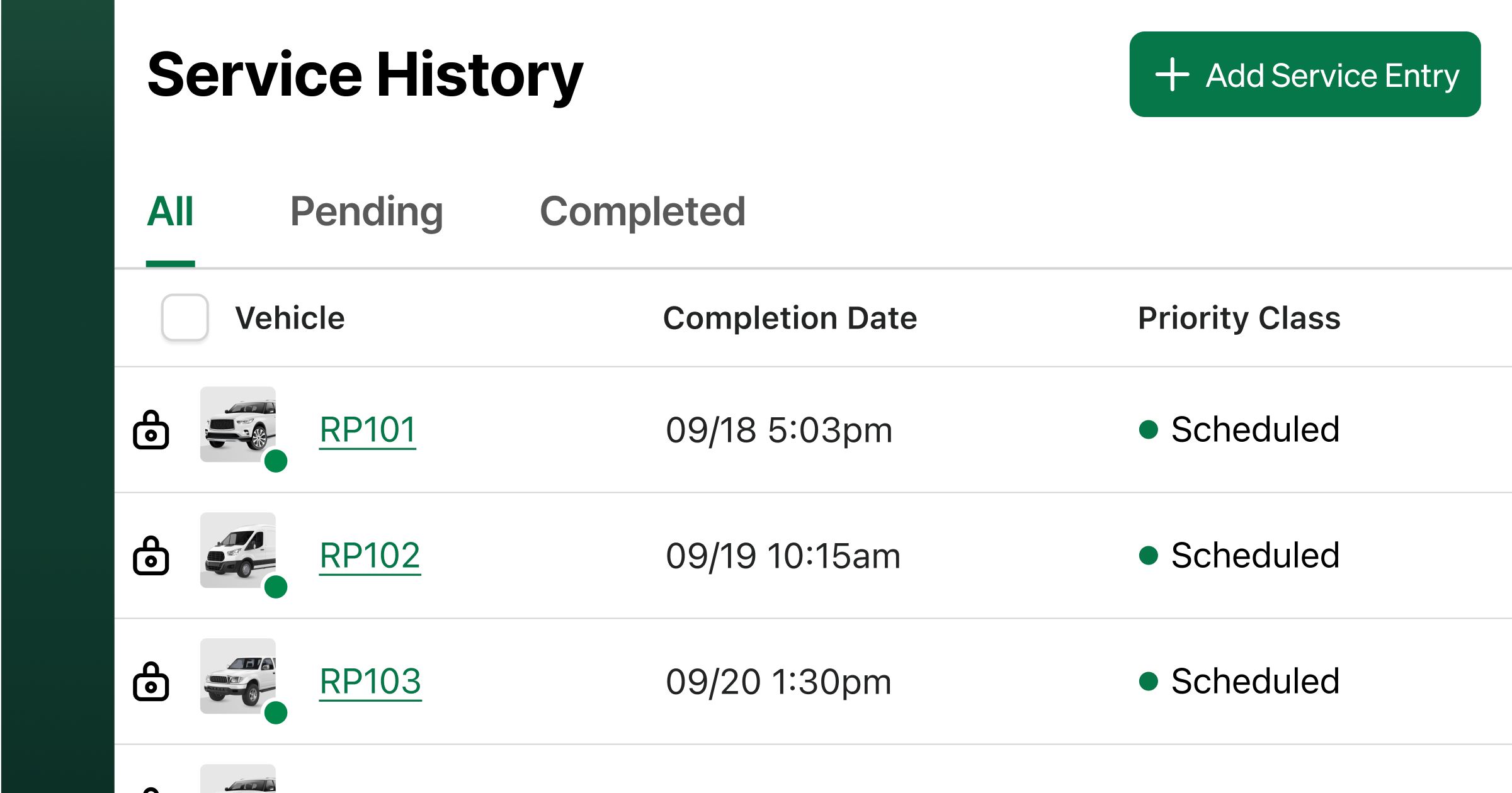
Good organization upfront makes it much easier to respond to audits, safety investigations, and warranty or recall questions — and it gives you cleaner data for cost trends, failure patterns, and replacement planning down the road.
Common challenges with spreadsheet-based maintenance logs
Spreadsheet and paper-based maintenance logs work well up to a point. But as your fleet grows, manual logging starts to introduce blind spots, delays, and inconsistencies that make it harder to control downtime, safety, and spend. Here are some of the most common issues teams run into — and how more connected, digital workflows help.
Gaps in communication between drivers, techs, and managers
With spreadsheets and paper, maintenance information often lives in one person’s inbox, notebook, or office. A driver notes an issue on a form, someone transcribes it later, and managers may not see it until days after the fact. That lag creates delays between when issues are found and when work is approved or completed — increasing the risk of unsafe vehicles staying in service longer than they should.
Modern teams close this gap with mobile inspections and shared digital logs, where defects flow directly into issues and work queues instead of getting buried in email or paper stacks.
Missed preventive service intervals and overdue work
In a spreadsheet-based world, staying on top of PM means someone has to remember to check mileage, hours, or calendar dates and manually compare them to your intervals. It’s easy to fall behind. The result: missed PMs, more vehicle repairs, and surprise breakdowns that pull assets out of service at the worst possible time.
Automated reminders and live odometer feeds via telematics or digital tools keep PM on schedule. Instead of scanning rows in a sheet, teams see upcoming and overdue services at a glance and can plan around them to reduce unplanned downtime.
Limited visibility into costs and asset health
Spreadsheets aren’t built for fast analysis. When costs are scattered across tabs and files, it’s tough to quickly answer questions like “Which units cost the most per mile?” or “Which assets are our repeat offenders?” Pulling those insights usually means manual sorting, filtering, and one-off reports — which don’t always happen in a busy operation.
Centralized, software-based logs let managers filter by asset, location, or time period and surface high-cost or high-failure assets in a few clicks, turning raw vehicle maintenance records into actionable insights.
Drop the spreadsheets – pick up the solution
More than just software, Fleetio is your fleet’s solution to missed maintenance, preventable breakdowns and costly downtime. It’s that simple. Try it for free today!
Give it a test run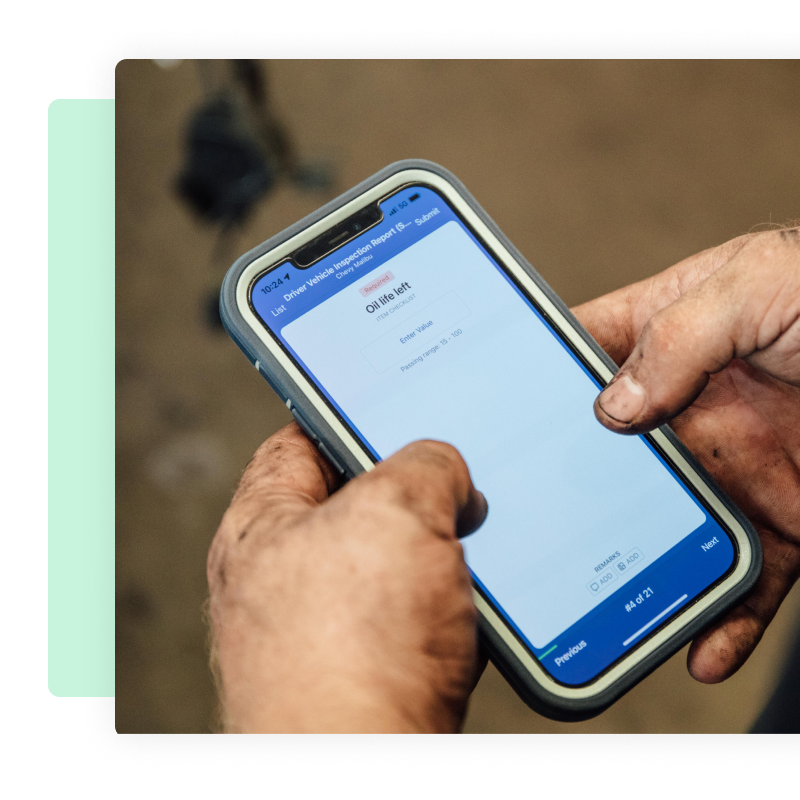
Managing multiple vehicles, sites, or locations
As soon as you add more vehicles, branches, or shops, spreadsheet-based logs start to fracture. Each site tweaks its own version, fields get renamed or removed, and there’s no easy way to roll everything up. Leadership gets a patchwork view instead of a single, trusted picture of fleet health.
Digital maintenance systems standardize fields and workflows across sites and give you one consolidated view of the fleet, while still letting local teams work from their own queues and views.
Manual data entry from DVIRs or inspections
When inspection forms, fuel receipts, or shop notes live on paper or in separate systems, someone has to retype key details into the maintenance log. That manual data entry is slow, tedious, and prone to typos — and it often falls to the bottom of the to-do list, which means your log can lag days or weeks behind reality.
Digital inspections and integrated systems remove duplicate entry, automatically pushing inspection failures and issues into your maintenance records and creating a cleaner, more trustworthy data trail.
Difficulty retrieving logs for audits or resale
During audits, compliance checks, or resale prep, spreadsheet and paper-based records can slow everything down. Teams have to dig through folders, shared drives, or multiple files to prove that inspections, PMs, recalls, and repairs were done on time. Missing or incomplete records can create compliance risk and erode buyer confidence — ultimately reducing resale value.
Centralized, searchable digital histories make it easy to retrieve a complete service record for a vehicle in seconds, with dates, work performed, and supporting documents ready to share with auditors, regulators, or potential buyers.
How Fleetio simplifies vehicle maintenance logging and reporting
Once you’ve outgrown spreadsheets and paper, Fleetio is the platform that makes maintenance logging effortless, accurate, and proactive. Instead of chasing down forms and files, your team works from one connected system that keeps service history, inspections, and costs in sync.
- Real-time meters for accurate PM: Automatically sync odometer and engine hours to keep PM schedules aligned with actual usage.
- Automated PM programs: Build service programs by date, miles, or hours with reminders that reduce overdue services and reactive repairs.
- Fault codes and safety alerts: Surface critical issues faster so you can pull unsafe vehicles from service and cut unplanned downtime.
- Mobile app for drivers and techs: Capture inspections, issues, photos, and work updates in the field so nothing gets lost in email or paper.
- Maintenance shop integrations: Connect to third-party shops for digital approvals, estimates, and invoices — all tied back to each asset’s history.
- Reporting on cost and asset health: Track cost per mile, downtime, and reliability trends to make smarter replacement and budgeting decisions.
Ready to evaluate Fleetio with your own data?
- Import a few recent work orders and a week of inspection results
- Configure one PM program and test reminders on a staging asset
- Run service history, exception, and cost-per-mile reports
- Invite a technician to submit a defect and walk through the approval flow
When an inspection fails, I get an email for it and I can address the issue and have it fixed by the end of the day. Fleetio to me is almost as real-time as you can get compared to the other programs I’ve used. John Clayton Druder, Lead Mechanic, Cherrylake
Want to save 48% or more on maintenance?
Easy to use and easy to implement, book your exclusive demo today and we’ll personally walk you through the platform and set you up with a free trial to see how it can work for your fleet.
Book a live demo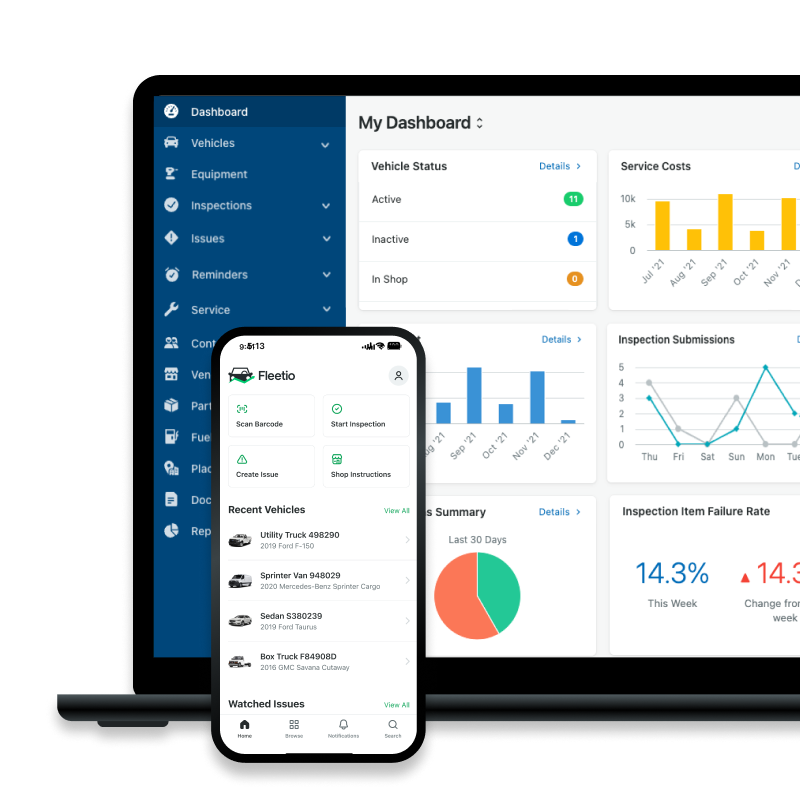
Maintenance Log FAQs

Content Marketing Specialist
Laura Flowers is the Content Marketing Specialist at Fleetio. When she’s not blogging, you can find her reading on the couch with her cat or in the studio tap dancing.
LinkedIn
Director of Fleet Content, Fleetio
Zach Searcy is the Director of Content at Fleetio with more than 5 years of experience in the automotive and fleet industries. His content creation days started in middle school when he and his friends began filming lightsaber battles to upload to a new website: 'YouTube.'
LinkedIn|View articles by Zach SearcyReady to get started?
Join thousands of satisfied customers using Fleetio
Questions? Call us at 1-800-975-5304